 LABDESK
One file, on your computer
LabDesk has no cloud account and no server of its own to send your data to.
Lab software for Windows · Beta
LabDesk registers patients, takes the results, prints reports with a QR code and a verification reference, and keeps the day's money straight. It runs on one Windows PC and keeps everything on that PC.
Windows 10 or 11, 64-bit · works offline · updates itself
A day at the desk
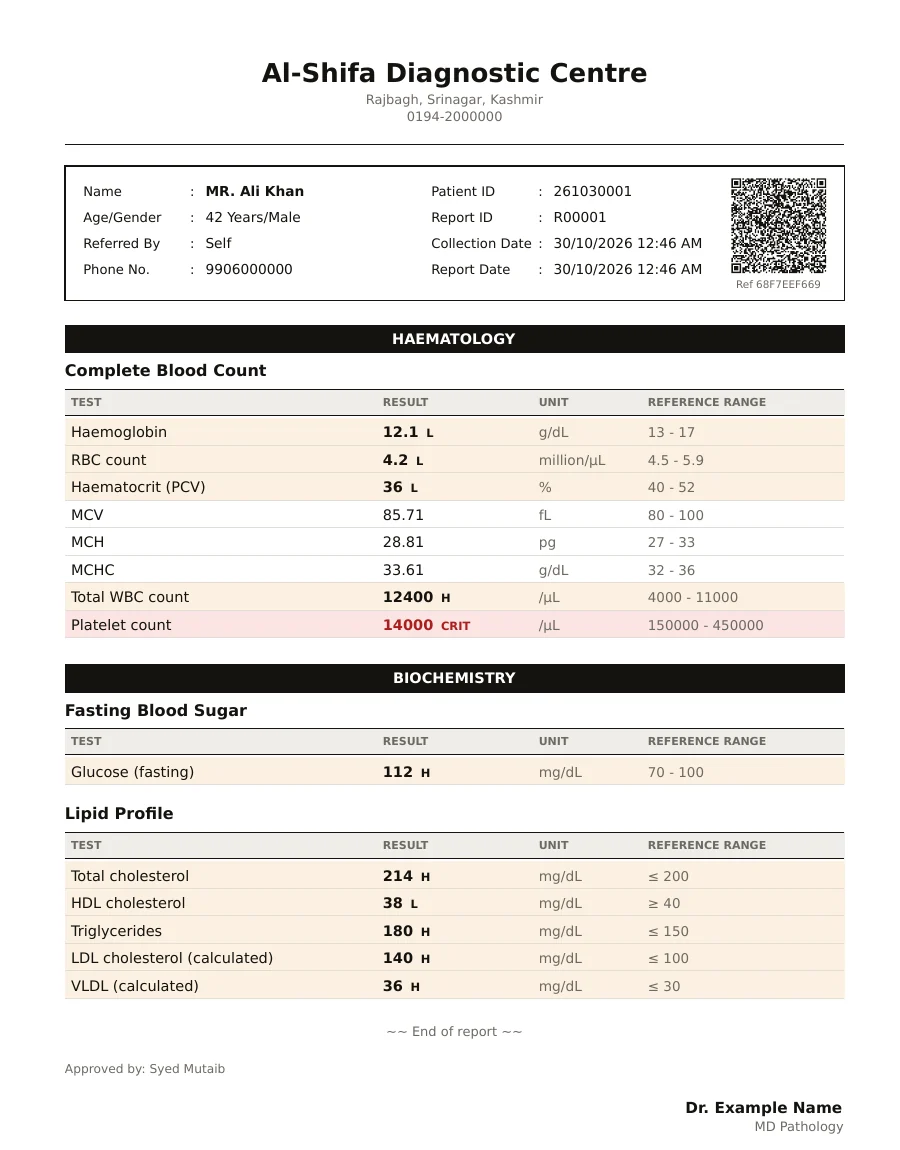
Type a name or phone number and LabDesk shows people it already knows. Pick the tests, the referring doctor and any discount, and take the first payment on the spot.
Reference ranges follow age and sex. Values that are high, low or dangerous are marked as you type, and calculated values fill in by themselves.
The pathologist approves the report. Its reference code is made from the approved values, so if a value is changed afterwards, the QR check shows a mismatch.
Reports print on your own letterhead. Email and WhatsApp are off until you choose to use them, and nothing is sent until the person at the desk presses the button.
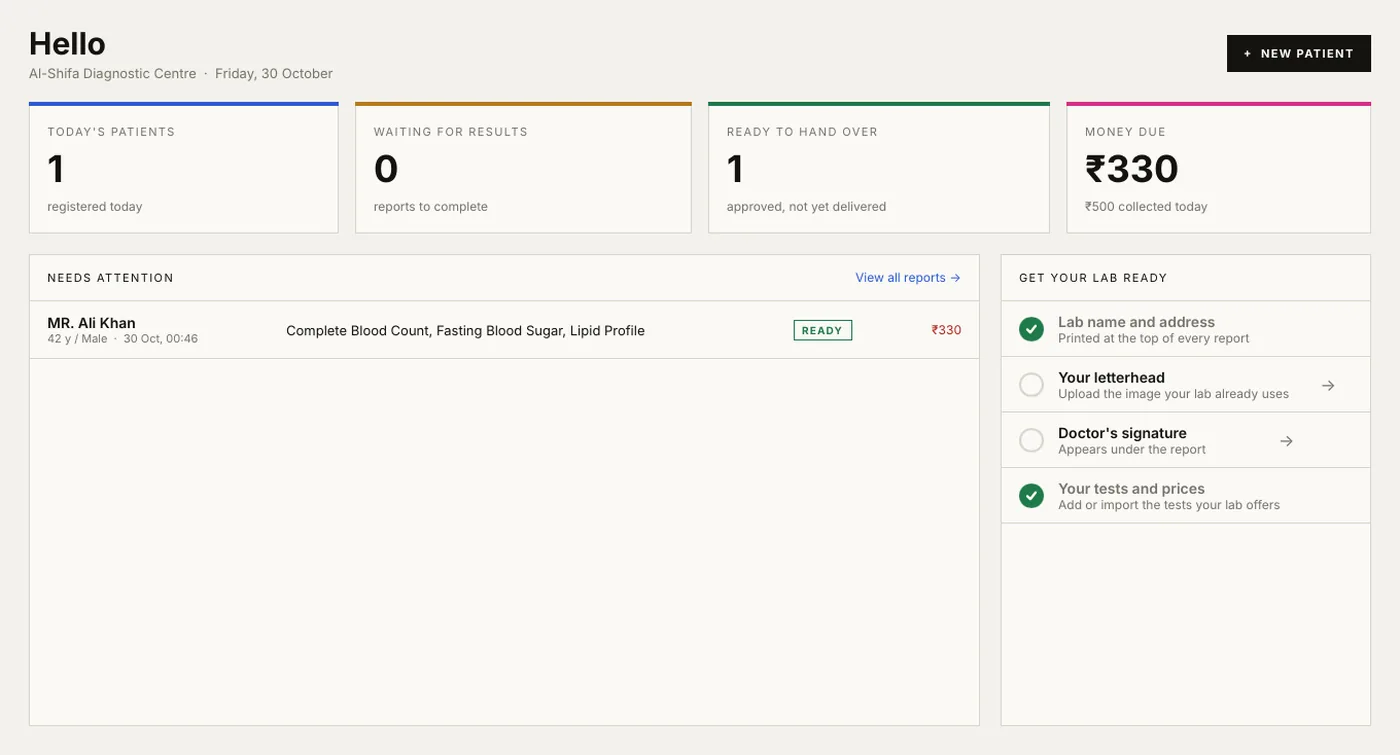
Payments are saved as cash, UPI, card or bank, against the visit they belong to. The home screen shows what is still unpaid.
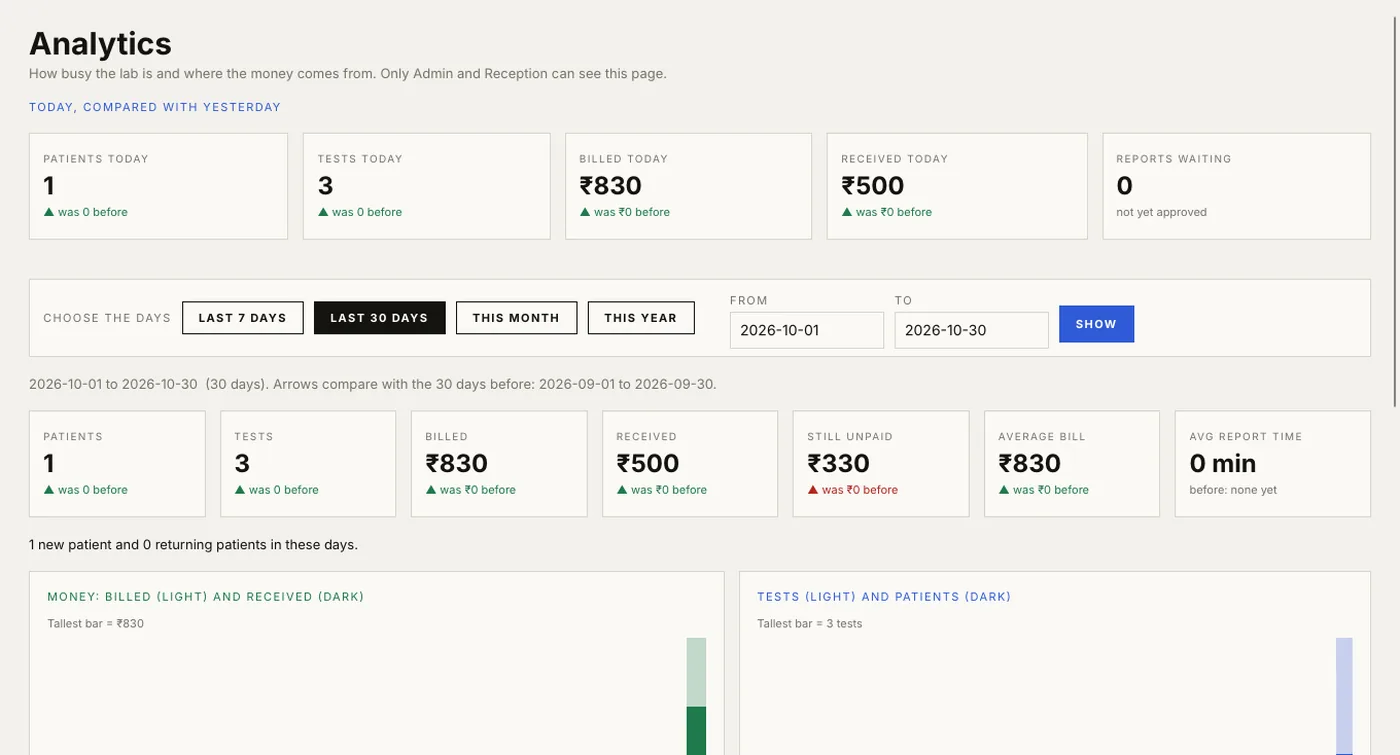
The Analytics tab, for Admin and Reception, shows patients, tests, billed and received money, how people paid, and the busiest hours.
The real program
Your data
LabDesk has no cloud account and no server of its own to send your data to.
Back up to a USB drive or folder with a password you choose, and restore on a new PC when you need to.
Admin, Technician, Pathologist and Reception see and do different things. Only Admin and Reception see money.
Approvals, deletions and payments are logged, and an Admin can bring a deleted report back.
Getting started
Install it, create the Admin account, add your lab's name and letterhead, and register your first patient.